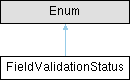
Field validation status. More...
Static Public Attributes | |
| int | INVALID = 0 |
| Field value failed validation. | |
| int | OBSTRUCTED = 1 |
| Field value was not recognized because it was obstructed by e.g. | |
| int | NONE = 2 |
| Field value was not validated, typically because the field does not support validation and the value has not been seen enough times to confirm it. | |
| int | CONFIRMED = 3 |
| The same field value was recognized in multiple frames, thereby confirming the value. | |
| int | INFERRED = 4 |
| Field value was inferred from other fields or from domain knowledge. | |
| int | VALID = 5 |
| Field value passed validation. | |
| int | IGNORED = 6 |
| The document contains a field of this type, but recognition for this field is disabled. | |
Detailed Description
Field validation status.
Optical character recognition (OCR) invariably introduces errors in the recognized text. There are numerous ways to verify that what has been recognized is, in fact, what was written in the document.
The best way to validate the value of a field is for it to have a known format or validation logic. For example, an IBAN number has a known format and two check digits that make it very unlikely that a value with OCR errors will pass validation. Fields with known validation rules will have a validation status of either VALID or INVALID.
Fields whose value can be inferred from other fields, or from domain knowledge (for example, the field may have the same value in every instance of this type of document), will have the status INFERRED. Inferring the value of a field is a strong validation method, provided that there are no unexpected changes to the document format.
Fields that do not have validation rules and cannot be inferred can still be validated by checking whether the same value is recognized from multiple attempts, e.g. across multiple frames of a camera stream. If the same value is recognized in multiple frames, the value is considered CONFIRMED, otherwise it will have the status NONE. This is the least strict validation method, as it does not protect from systemic OCR errors, but in practice it still provides good results for most fields.
Member Data Documentation
◆ CONFIRMED
|
static |
The same field value was recognized in multiple frames, thereby confirming the value.
Occurs only for fields that have no validation rules otherwise. A CONFIRMED value gives a strong guarantee that the field value has been read out without errors, but not as strong as VALID. The value may still be incorrect, due to systemic OCR errors. In case of OCR errors, increase the number of frames needed to confirm the value in the recognizer configuration.
◆ IGNORED
|
static |
The document contains a field of this type, but recognition for this field is disabled.
The value of this field is always empty, although the field may be non-empty in the document.
◆ INFERRED
|
static |
Field value was inferred from other fields or from domain knowledge.
The field value may differ from what is actually written in the document in unexpected situations.
◆ INVALID
|
static |
Field value failed validation.
This status is used for fields that have validation rules, like IBAN, date fields, etc. that have check digits or a known format that can be validated.
◆ NONE
|
static |
Field value was not validated, typically because the field does not support validation and the value has not been seen enough times to confirm it.
If the same value is seen in multiple frames, the validation status will transition to CONFIRMED, but only if that particular recognizer supports multiple frame accumulation.
◆ OBSTRUCTED
|
static |
Field value was not recognized because it was obstructed by e.g.
a light reflection or a shadow.
◆ VALID
|
static |
Field value passed validation.
This status is used for fields that have validation rules, like IBAN, date fields, etc. that have check digits or a known format that can be validated. The VALID status gives the strongest guarantee that the field value has been read out without errors.
The documentation for this class was generated from the following file:
- api/generic_document/generic_document.py
Generated by
 1.13.2